


Description
Stop running your serves out of a notebook, a text thread and three different apps. The Process Server Job Tracker is a ready-to-use spreadsheet that keeps every job, attempt, invoice and mile in one place, so you always know what is due, what is overdue and who still owes you money.
No monthly subscription. Process serving software usually bills you every month, whether you served five papers or fifty. This tracker is a one-time download. Pay once, keep it for good, and never get another monthly bill just to keep track of your own jobs.
Built by a working process server with more than 20 years in the field.
What it does
- Tracks every job from the day you receive it to the day you are paid: client, service level, serve-by date, status and fee.
- Logs every attempt with date, result, who you spoke with and their relationship or description, ready for your return or affidavit.
- Flags overdue serves. A Days Left countdown highlights any open job that is past its serve-by date.
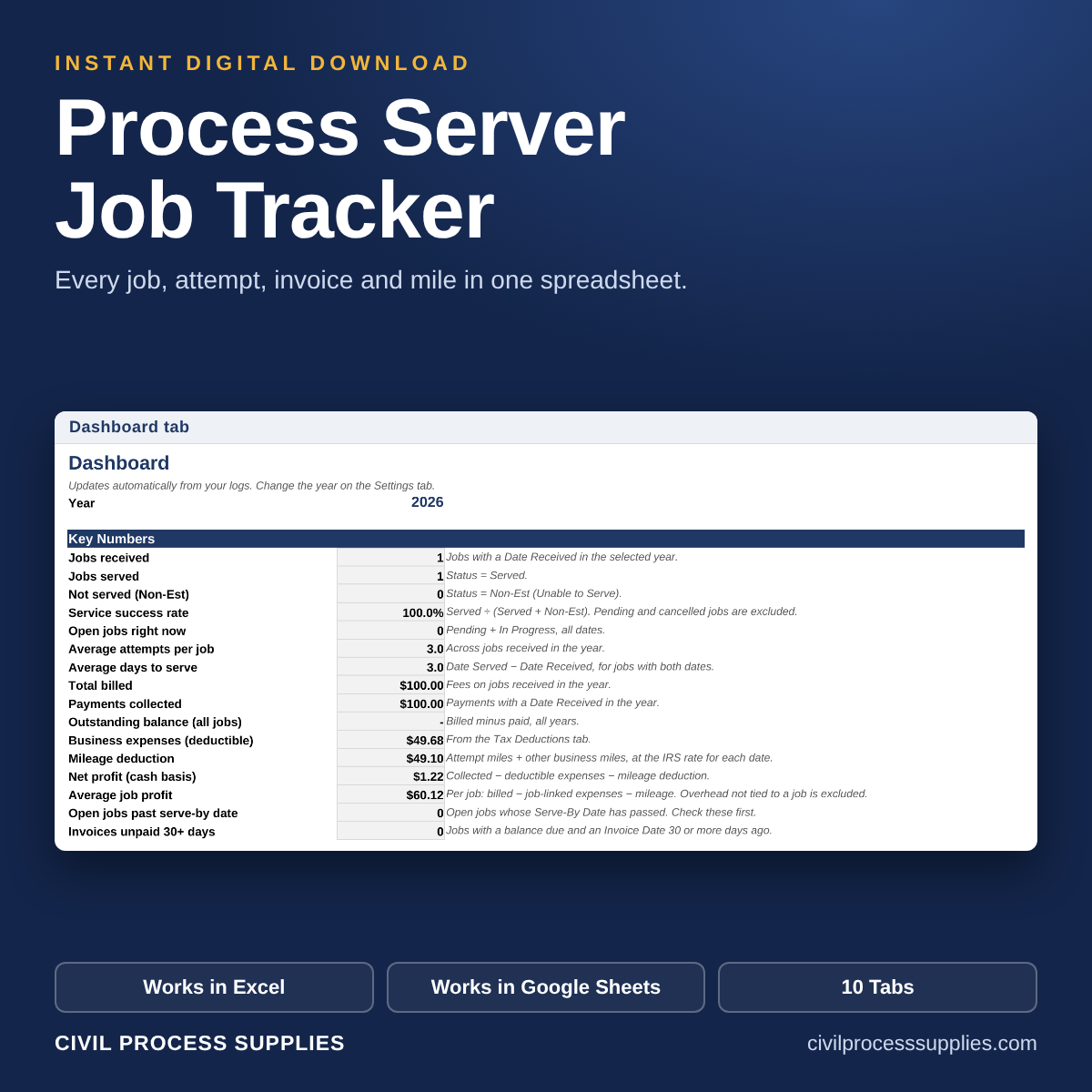
- Flags unpaid invoices. See the balance due on every job and which invoices have gone 30+ days unpaid.
- Calculates mileage for you. Enter the miles and the IRS standard mileage rate for that date fills in automatically, including the 2026 mid-year change. Add new rates yourself as the IRS announces them.
- Shows profit per job after expenses and mileage, so you know which clients and job types are worth your time.
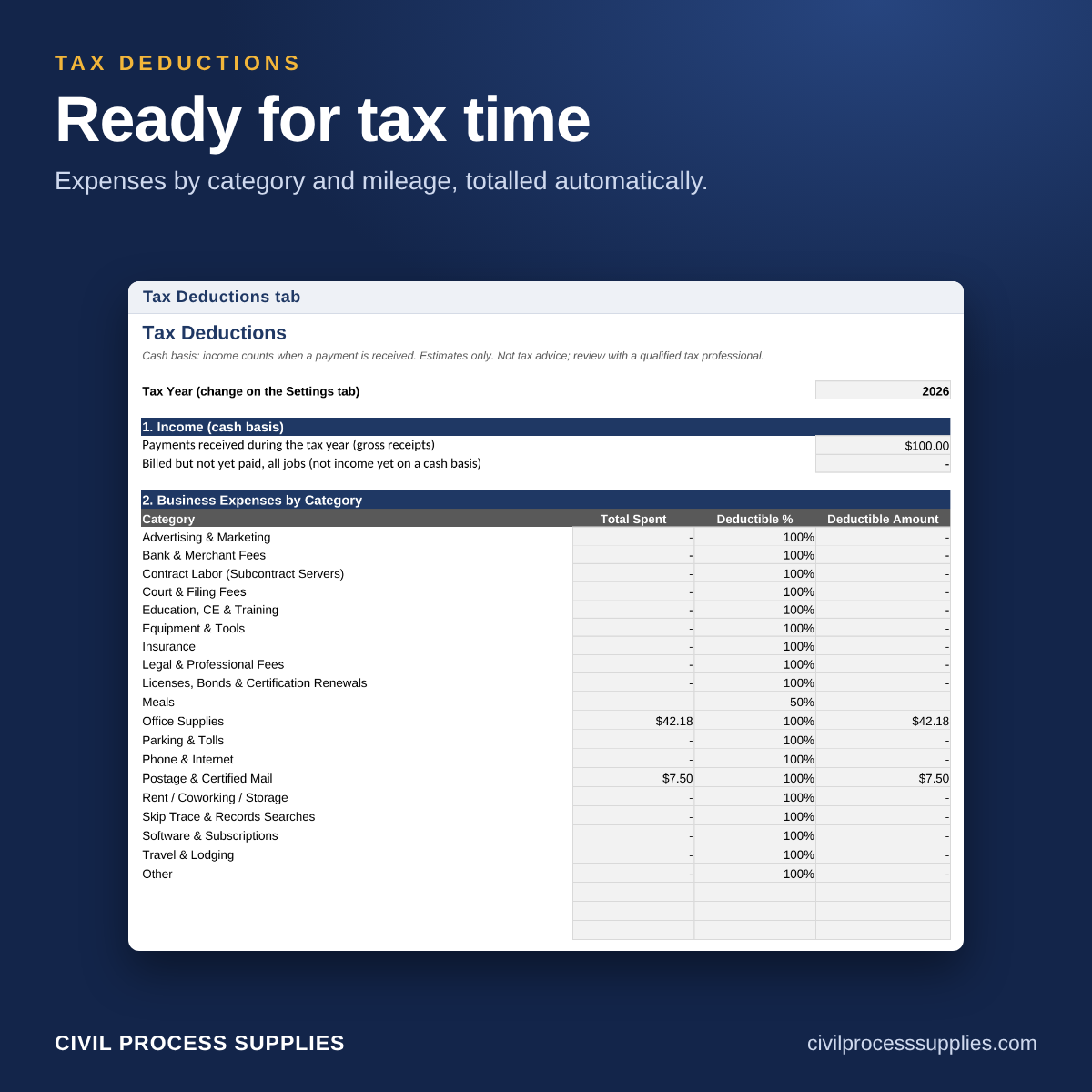
- Keeps tax time simple. A Tax Deductions tab totals your expenses by category, your mileage deduction, a quarterly view and an estimated tax set-aside for your tax preparer.
- Dashboard at a glance: open jobs, jobs past their serve-by date and invoices unpaid 30+ days.
What is included
- One Excel workbook (.xlsx) with 10 tabs: Start Here, Dashboard, Jobs, Attempts, Payments, Expenses, Mileage, Clients, Tax Deductions and Settings
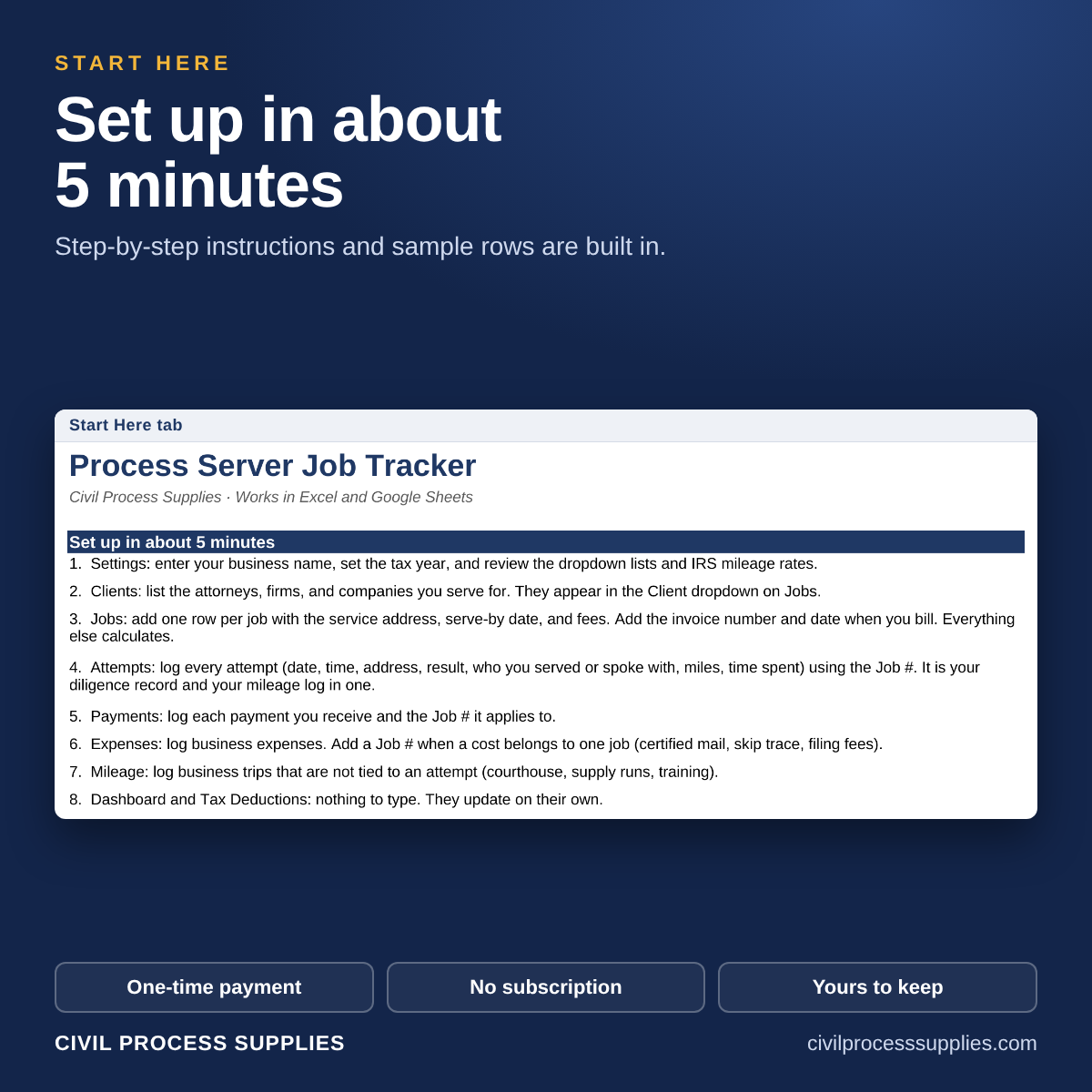
- A Start Here page that walks you through setup in about 5 minutes
- Dropdown menus for client, document type, service level, status, attempt result and payment method, all editable on the Settings tab
- Room for 500 jobs, 1,500 attempts, 1,000 payments and 1,000 expenses per file. Save a fresh copy each year.
- Sample rows on each tab so you can see how it works, then clear them and start your own
Works in Excel and Google Sheets
Open the file in Microsoft Excel, or upload it to Google Drive and open it with Google Sheets. All formulas, dropdowns and highlights have been tested in both.
How you get it
This is a digital download. Nothing is shipped. As soon as your payment goes through, you will see a download link on the order confirmation page and in your order email.
Good to know
- One-time payment. No subscription.
- Licensed for use by one business.
- Because this is a digital item, all sales are final and no refunds are offered.
- This tracker is a record-keeping tool and is not tax or legal advice. Check mileage rates and deductions with your tax preparer.
Questions before you buy? Call 888 737-8309 or email civilprocesspublishing@outlook.com.

Reviews
There are no reviews yet.